.png?width=225&height=60&name=225x60%20Logo%20(1).png)
GoDocs has launched a custom option for Borrowing Base for commercial industrial loan documents (only on LOC and RLOC). You have three selection options:
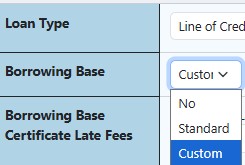
- Borrowing Base=No: no reference to Borrowing Base in the document.
- Borrowing Base=Standard: GoDocs Borrowing Base language that needs to have Advance percentage identified on the Collateral page.
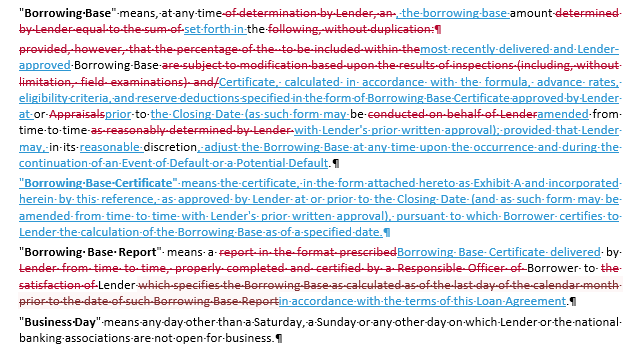
Differences between No Borrowing Base and Standard Borrowing Base: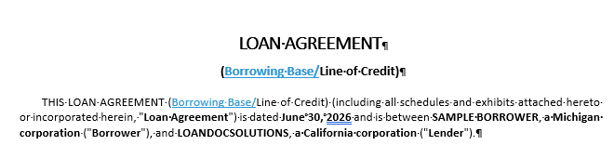
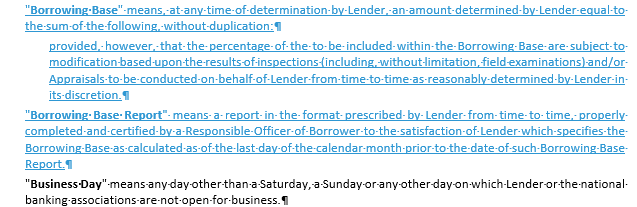

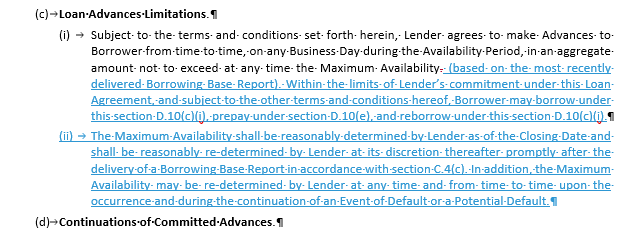
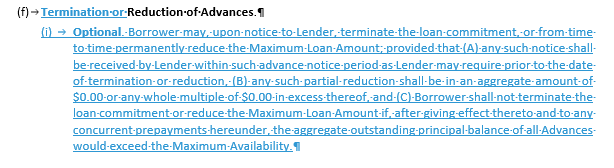

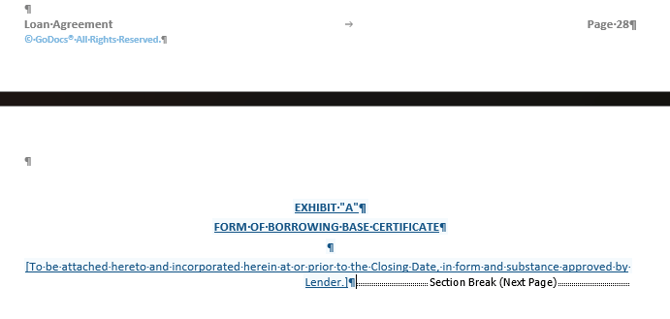
- Borrowing Base=Custom: Adds an Exhibit to the Loan Agreement for the user to add their borrowing base language (conditions/fees/definitions/etc.) post-delivery.
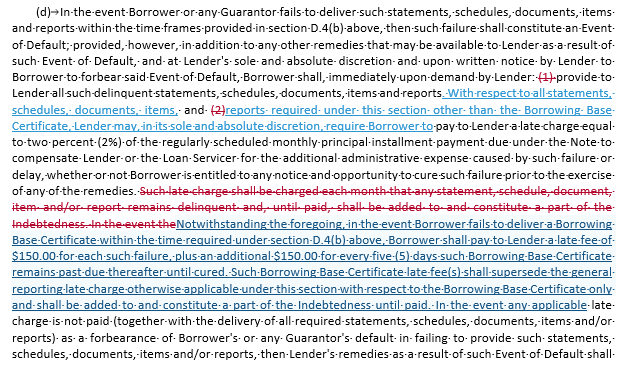
Note that Custom will show Borrowing Base Certificate Late Fees to include (i) Amount of Late Fee for Failure to Provide Borrowing Base Certificate and (ii) Amount of Additional Penalty Every 5 Days Borrowing Base Certificate is Past Due in section D.4(d), the Books and Records; Financial Reporting. section, of the Loan Agreement only have the setting for Include Financial Statement Late Charge (Default: Yes) set to either Yes option. For those that have Include Financial Statement Late Charge (Default: Yes)=No, the UI will appear on the Loan page, but will not populate in the documents. The user is to include any such fees in the Exhibit A. This is not a bug or glitch; it is an accurate representation of their Product/Lender settings reflected in the generated package.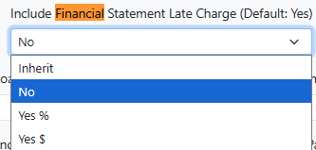

Differences between Standard Borrowing Base & Custom Borrowing Base:
(red language=standard borrowing base/blue language=custom borrowing base)