.png?width=225&height=60&name=225x60%20Logo%20(1).png)
Loan documents that are reviewed and uploaded by outside counsel often times are protected and in "View only". As such they will require a password entry in order to "unprotect" them so you can edit and modity if necessary.
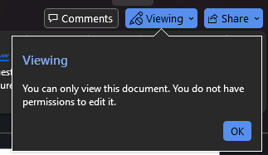
You might see the below message when downloading your documents:
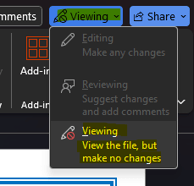
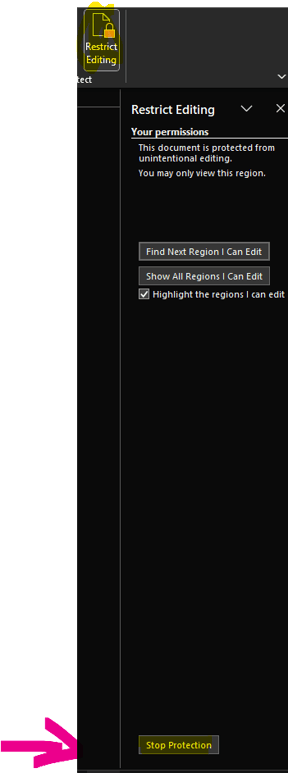
Please navigate to the Review tab on the ribbon, and after clicking on it, click on the Restrict Editing icon to open up a panel on the right hand side:

Once the panel opens up, please scroll all the way down till you see the Stop Protection button, click on it and enter the password:
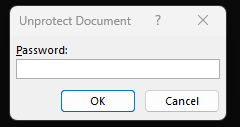
- 2025 password will be excitingcaptain
- 2026 password will be bankersuccess
- 2027 password will be forestforever
- 2028 password will be friendlocated
- 2029 password will be fantasticboat