.png?width=225&height=60&name=225x60%20Logo%20(1).png)
Corporate Borrower
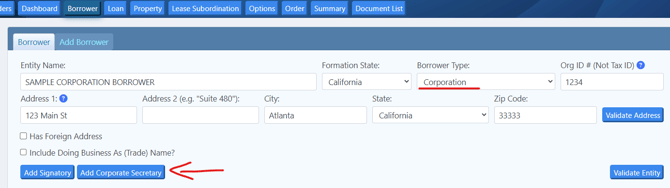
When entering your corporate borrower under the borrower tab please click the "Add Corporate Secretary" button for the field to open:
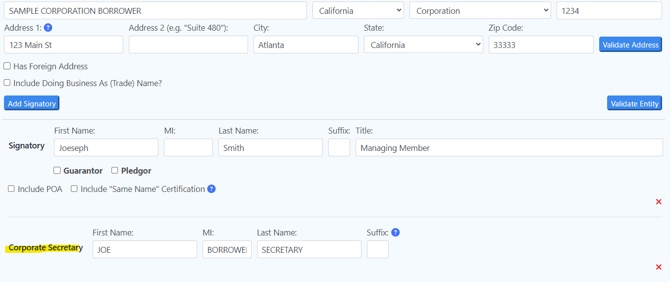
We recommend if this person appears elsewhere in the documents that they are referred to by the same name throughout the documents in order to avoid notary issues. Please be consistent with all names entered in to the data entry. For example: If the Corporate Secretary is also a Guarantor and his name is entered as Joe Smith for the Corporate Secretary then for the Guarantor, he should be referenced as Joe Smith, NOT Joe S. Smith, Joseph Smith, Joseph S. Smith, etc. (If you do need AKA names for this individual please refer to the Same Name Certification article)
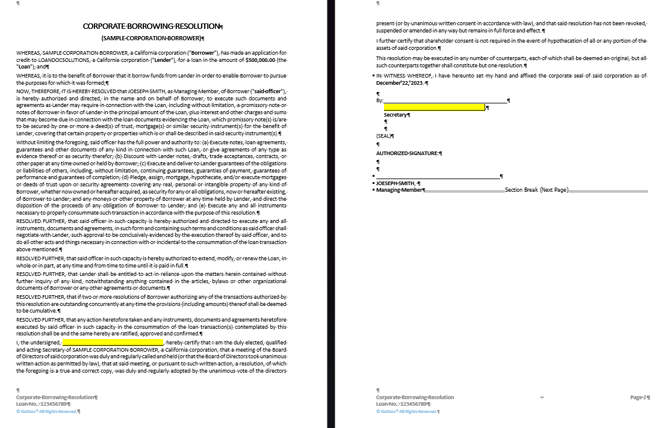
It will flow into the Corporate Borrowing Resolution as below:
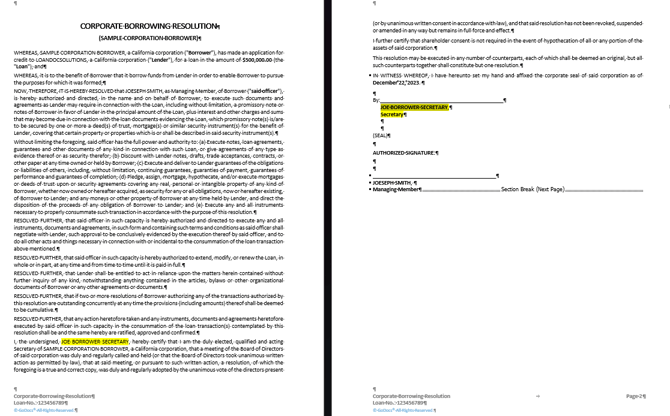
If you choose to not enter the name for the corporate secretary yet, then a blank line will come in:
Corporate Guarantor
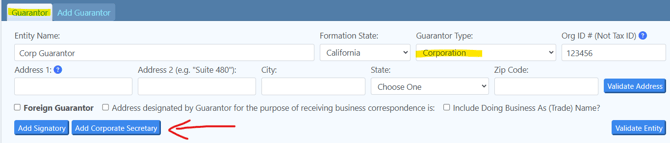
When entering your corporate guarantor under the borrower tab please click the "Add Corporate Secretary" button for the field to open:
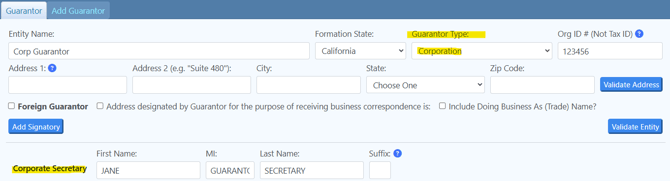
It will flow into the Corporate Guarantor's Borrowing Resolution as below:
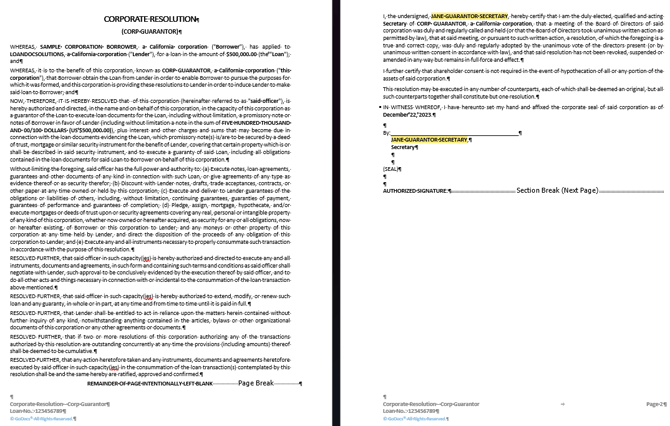
If you choose to not enter the name for the corporate secretary, then a blank line will come in: